All cases / PicPic Social
2023
A whole photo booth on one iPad
Research and product design for PicPic Booth, an iPad app that lets event businesses run a branded photo booth and send guests their photos.
Client
PicPic Social
Industry
Event technology
Year
2023
Timeline
4 months
Role
Research, product design
Live site
Visit siteOne iPad runs the whole booth
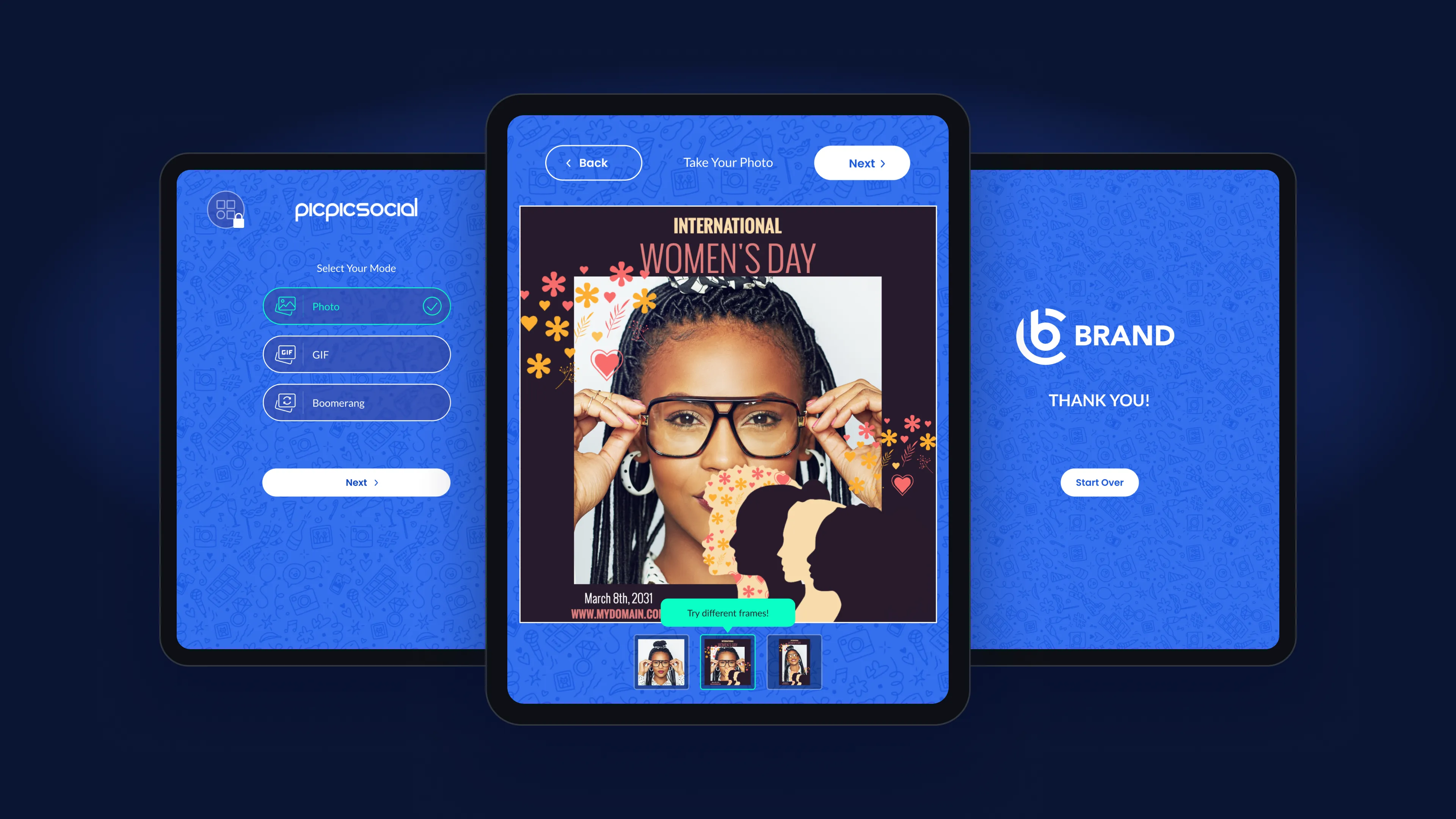
PicPic Social builds software for photo booth businesses. They wanted a booth that runs entirely on an iPad. The operator sets it up at the start of an event, then hands the screen to the guests.
The business goals:
- Keep and grow market share
- Bring in new customers with simple onboarding
- Add features later without a redesign
- Stand out with live overlays and instant sharing
- Handle more users and more events
- Give investors a reason to stay
What 56 event businesses told us
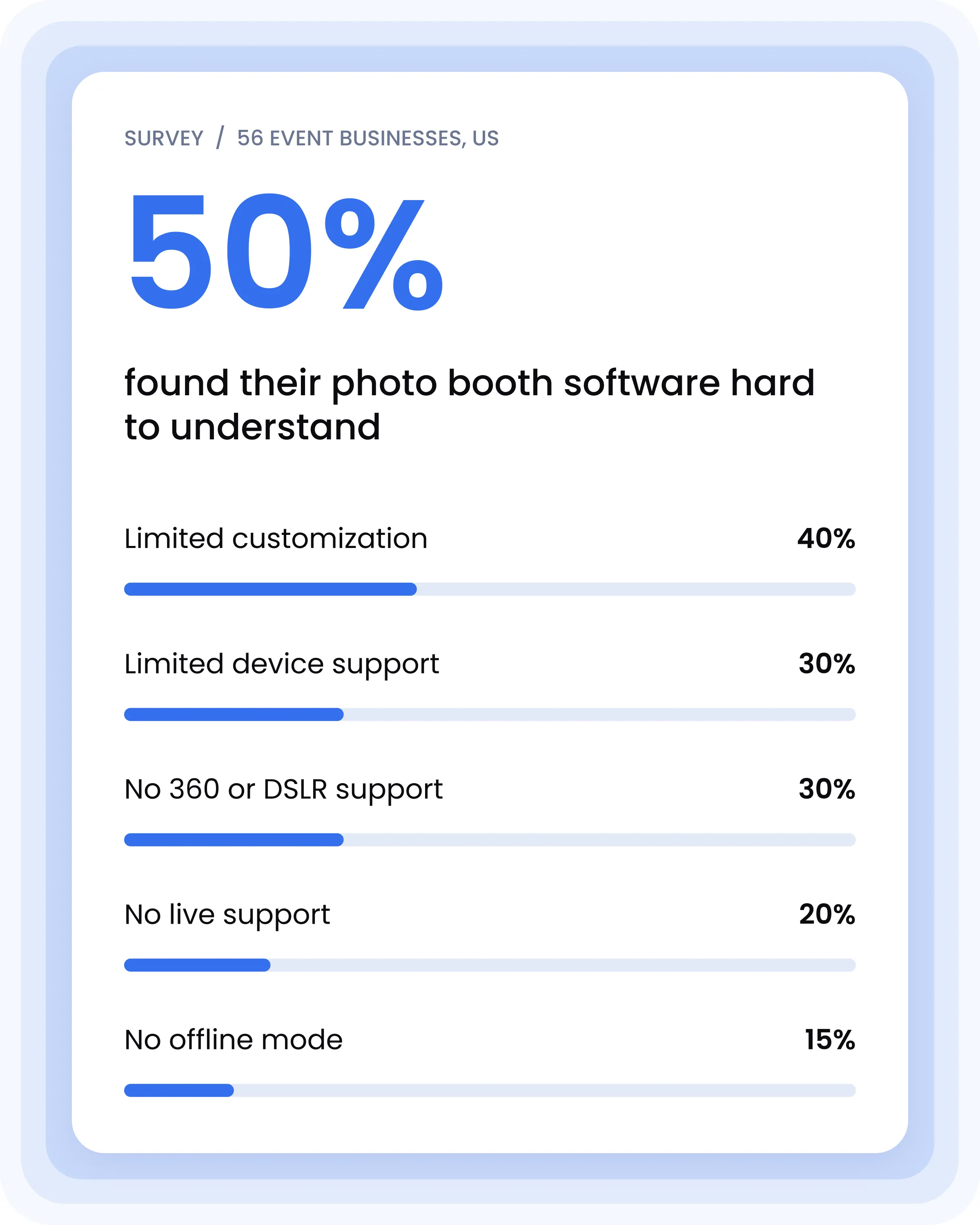
We surveyed 56 photo booth and event businesses in the US. Half said their biggest problem was understanding what their software could do. Customization and device support came next.
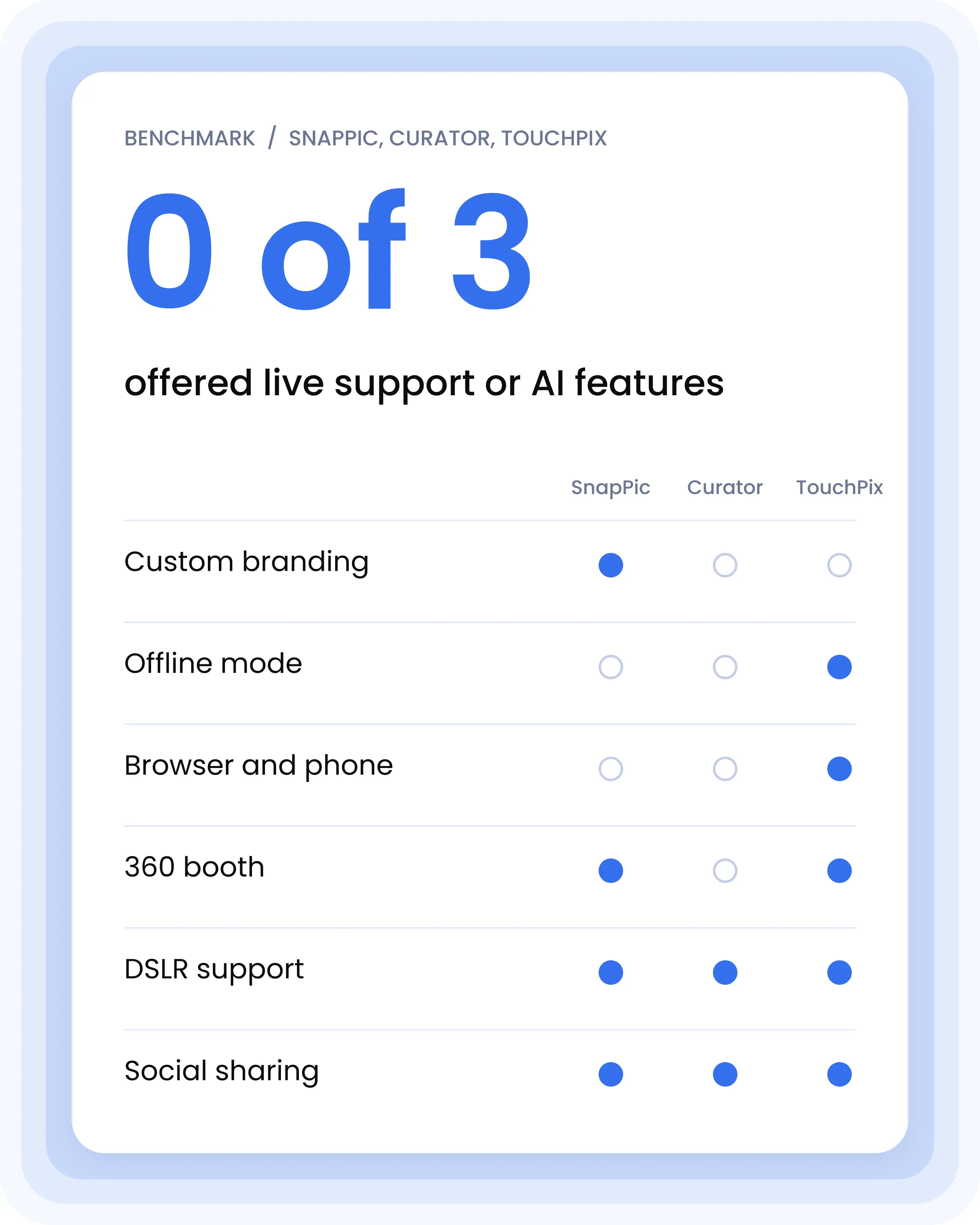
We also compared the three leading apps, SnapPic, Curator and TouchPix. None offered live support or AI features. Only one let businesses put their own brand on the booth.
SWOT:
- Strengths: an iPad-first booth that is easy to use and customize
- Weaknesses: established competitors and a brand still to build
- Opportunities: a growing event-tech market and demand for digital experiences
- Threats: tough competition and fast-changing expectations
Who we designed for
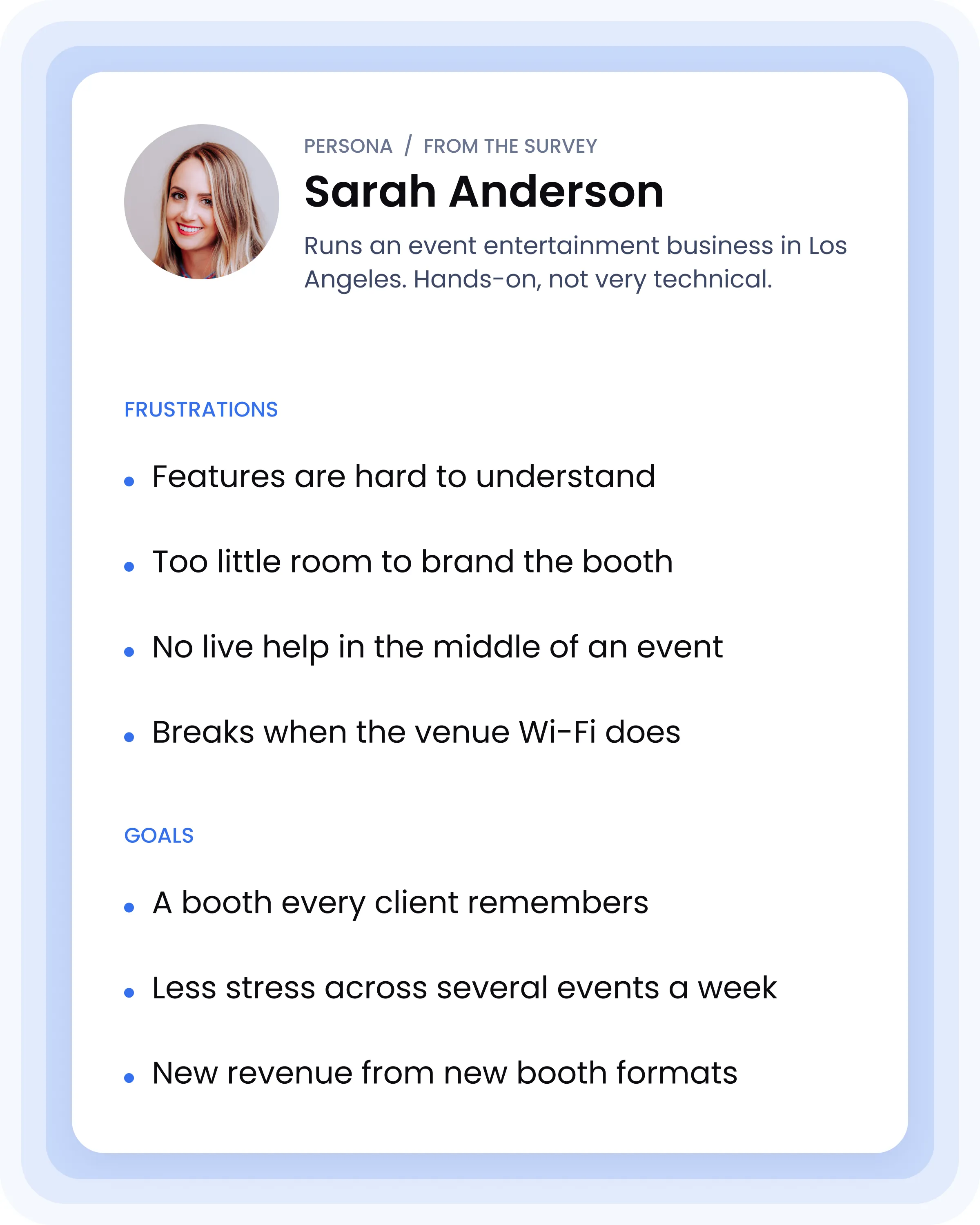
From the survey we built one persona. Sarah runs an event entertainment business in Los Angeles. She handles everything herself and isn't very technical.
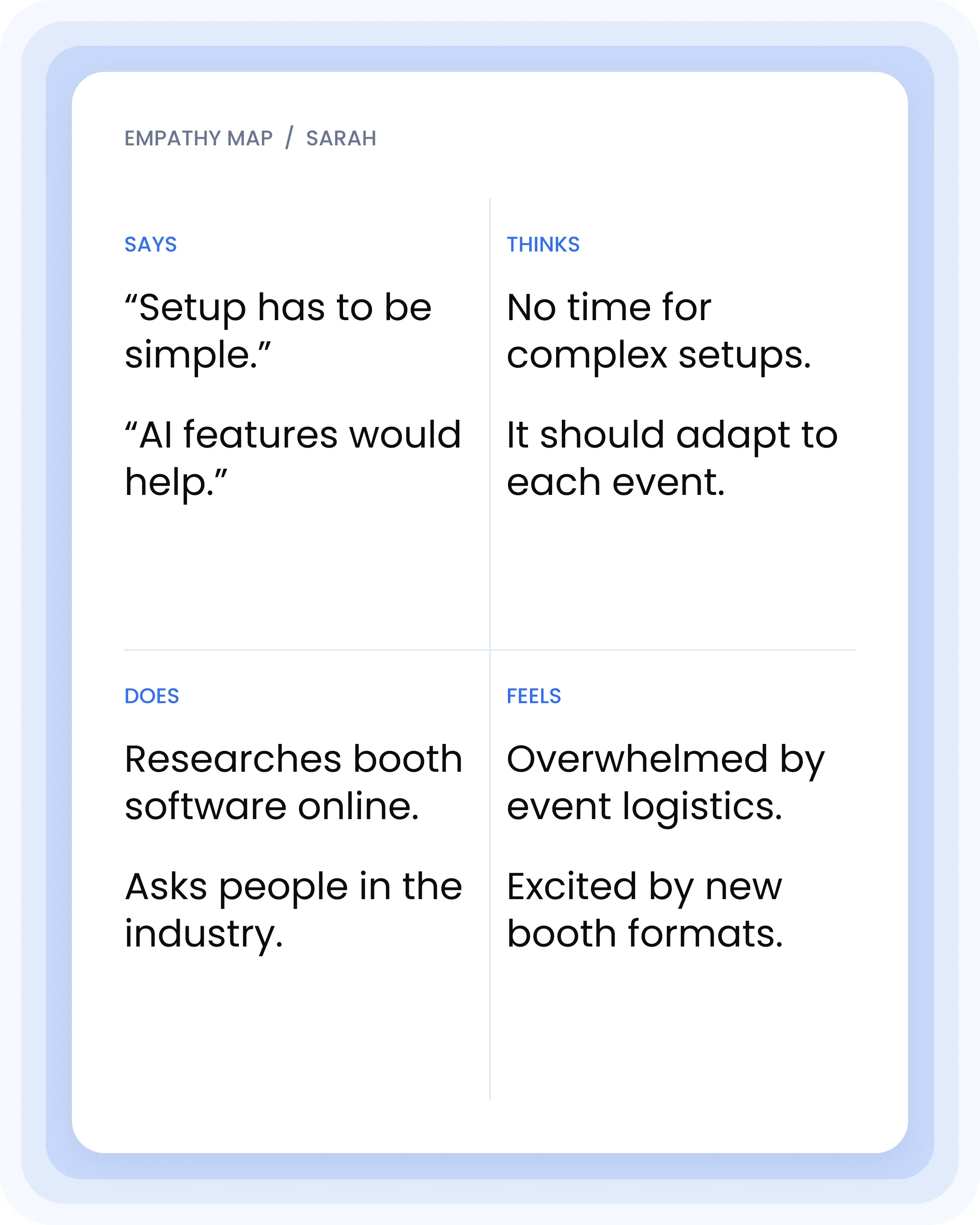
She runs into the same problems the survey found: software she can't figure out, too little room for branding, no help in the middle of an event, and booths that stop working without Wi-Fi. The empathy map shows what a busy night feels like for her.
From flow to screens
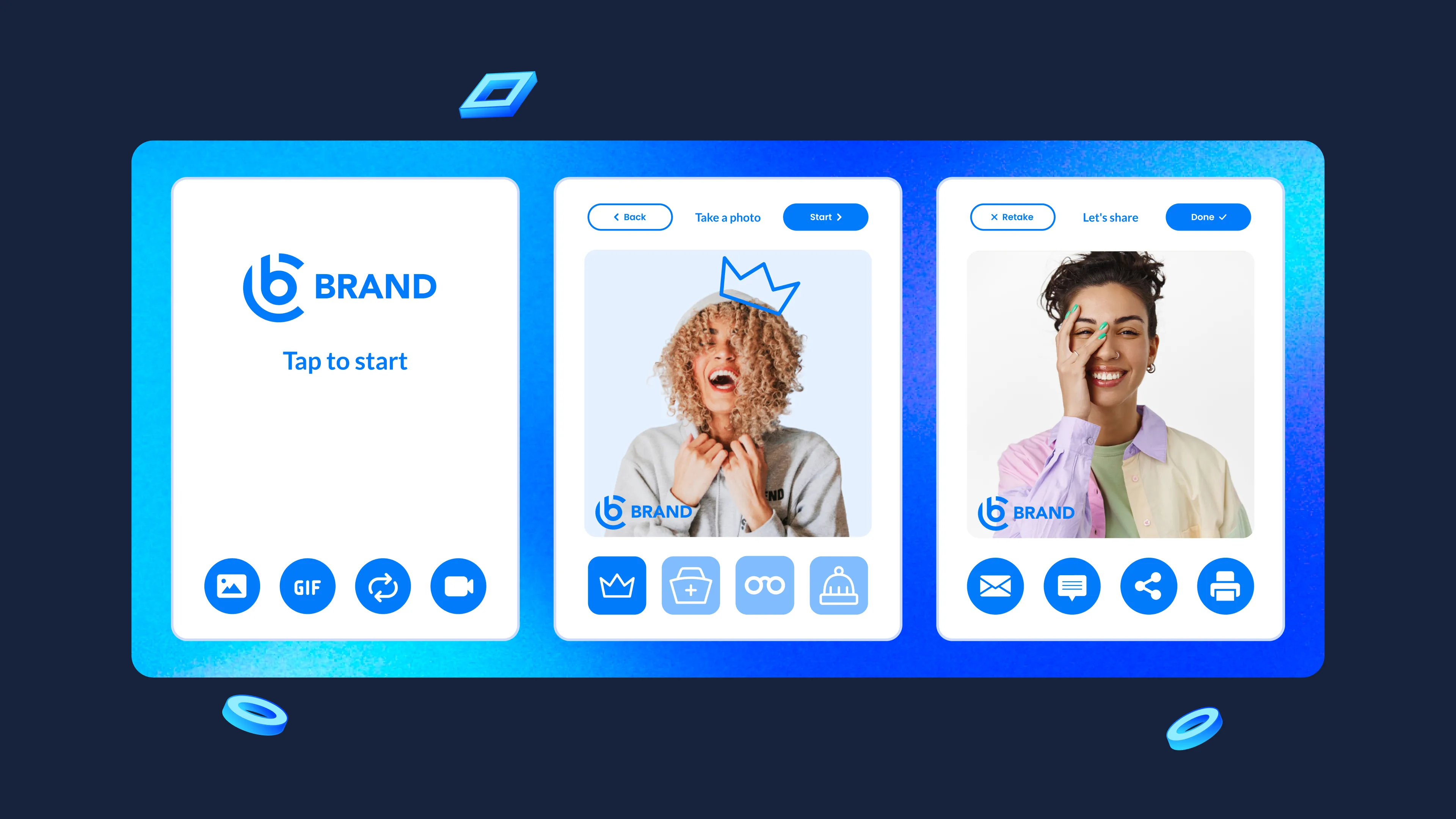
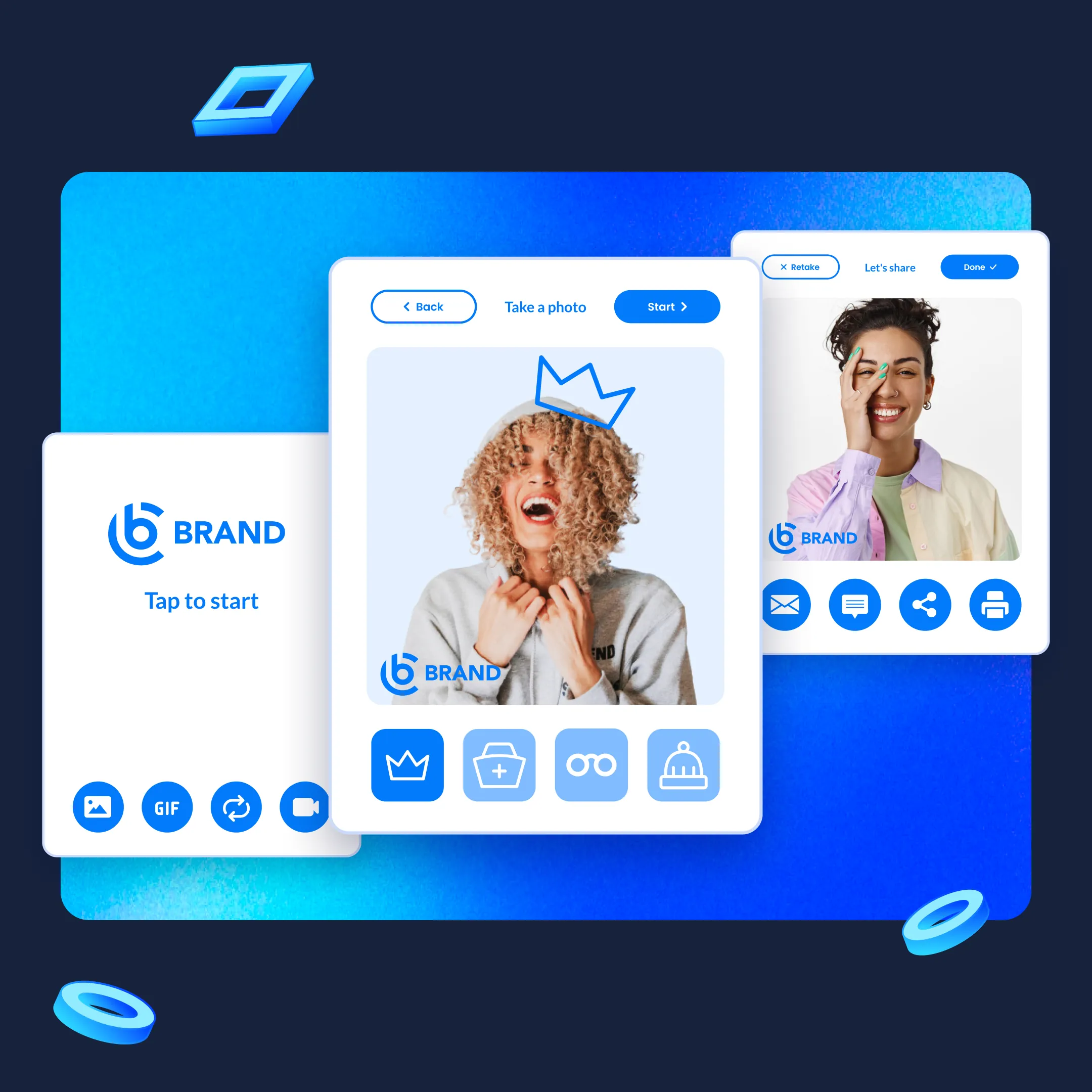
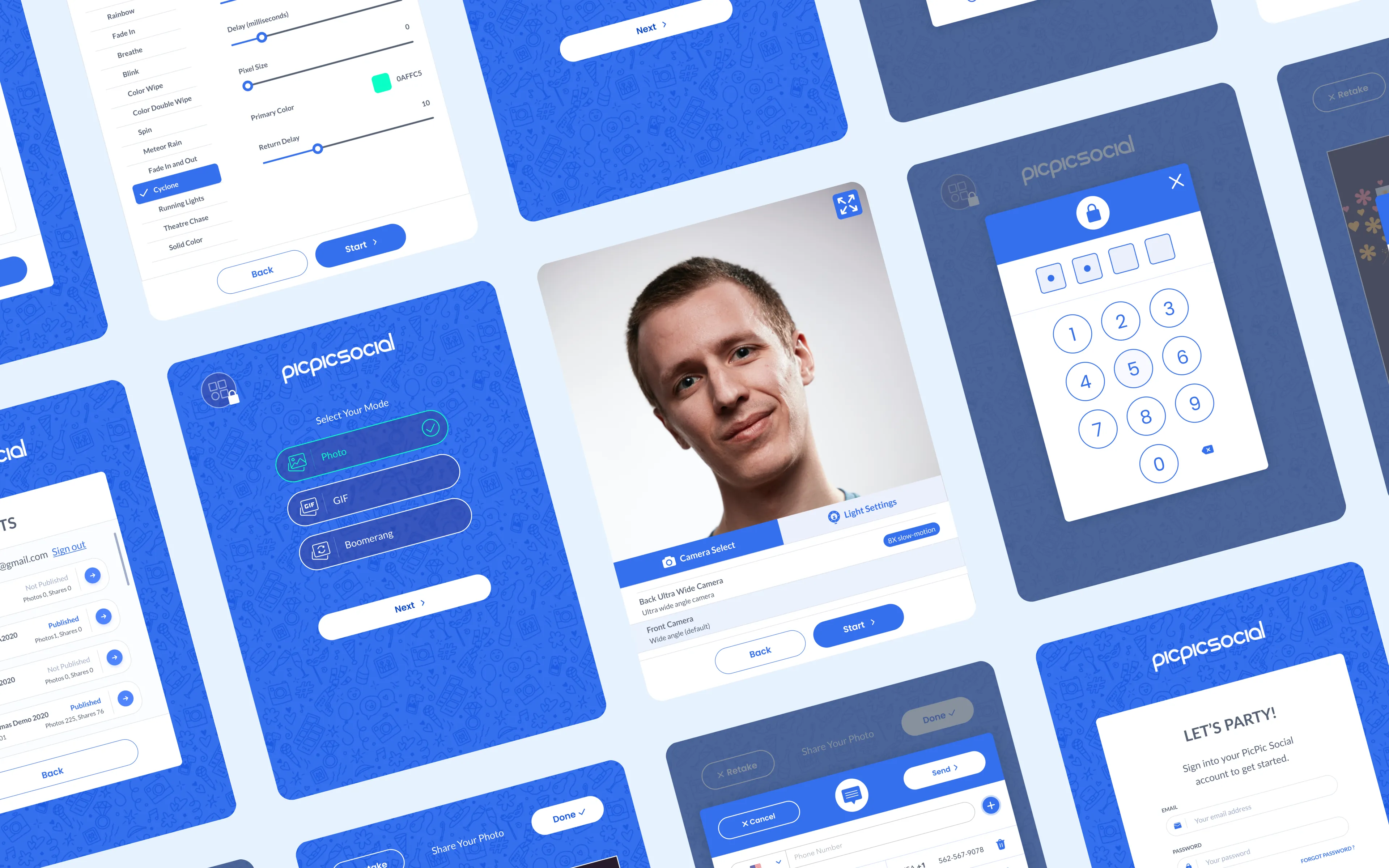
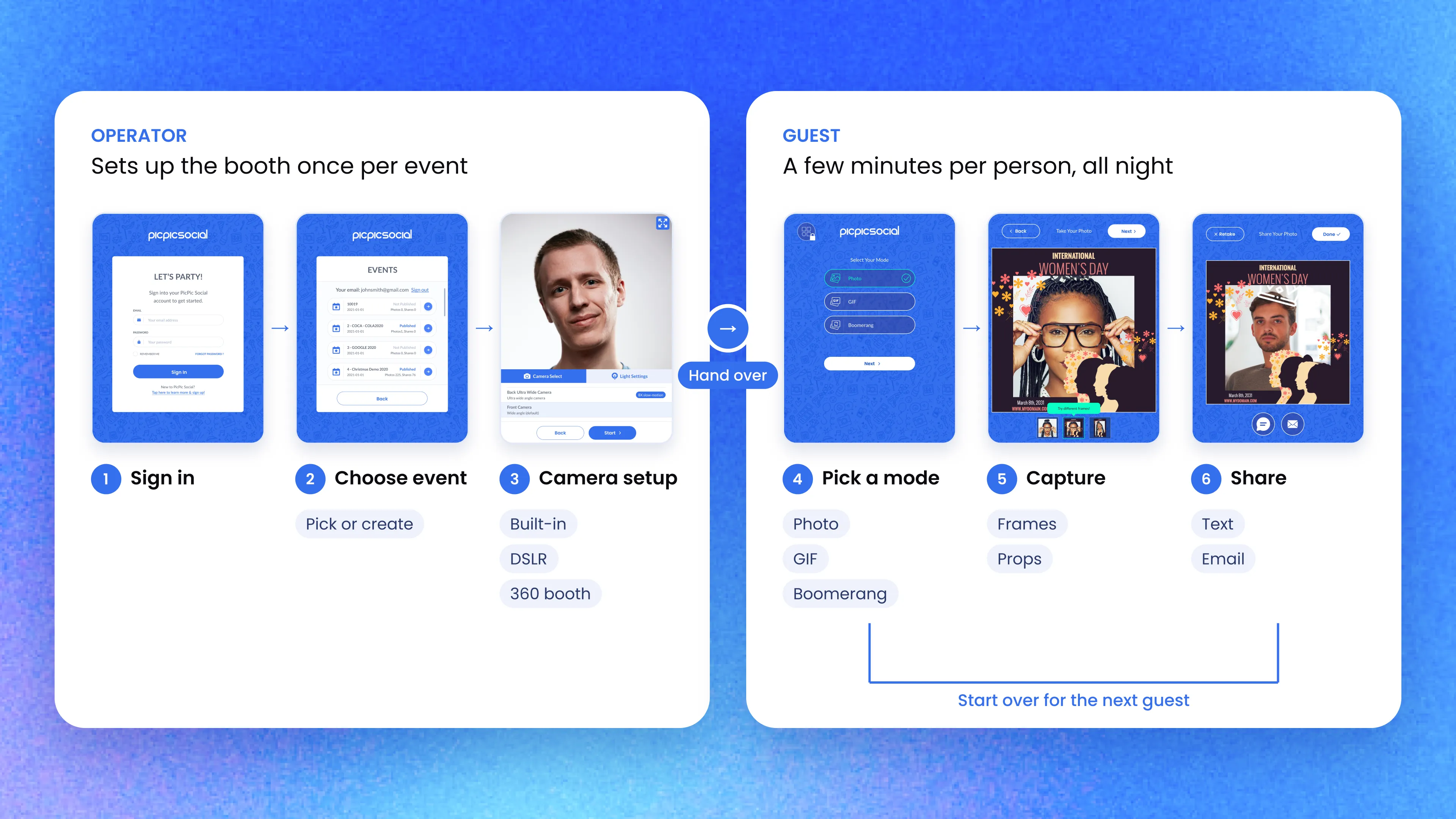
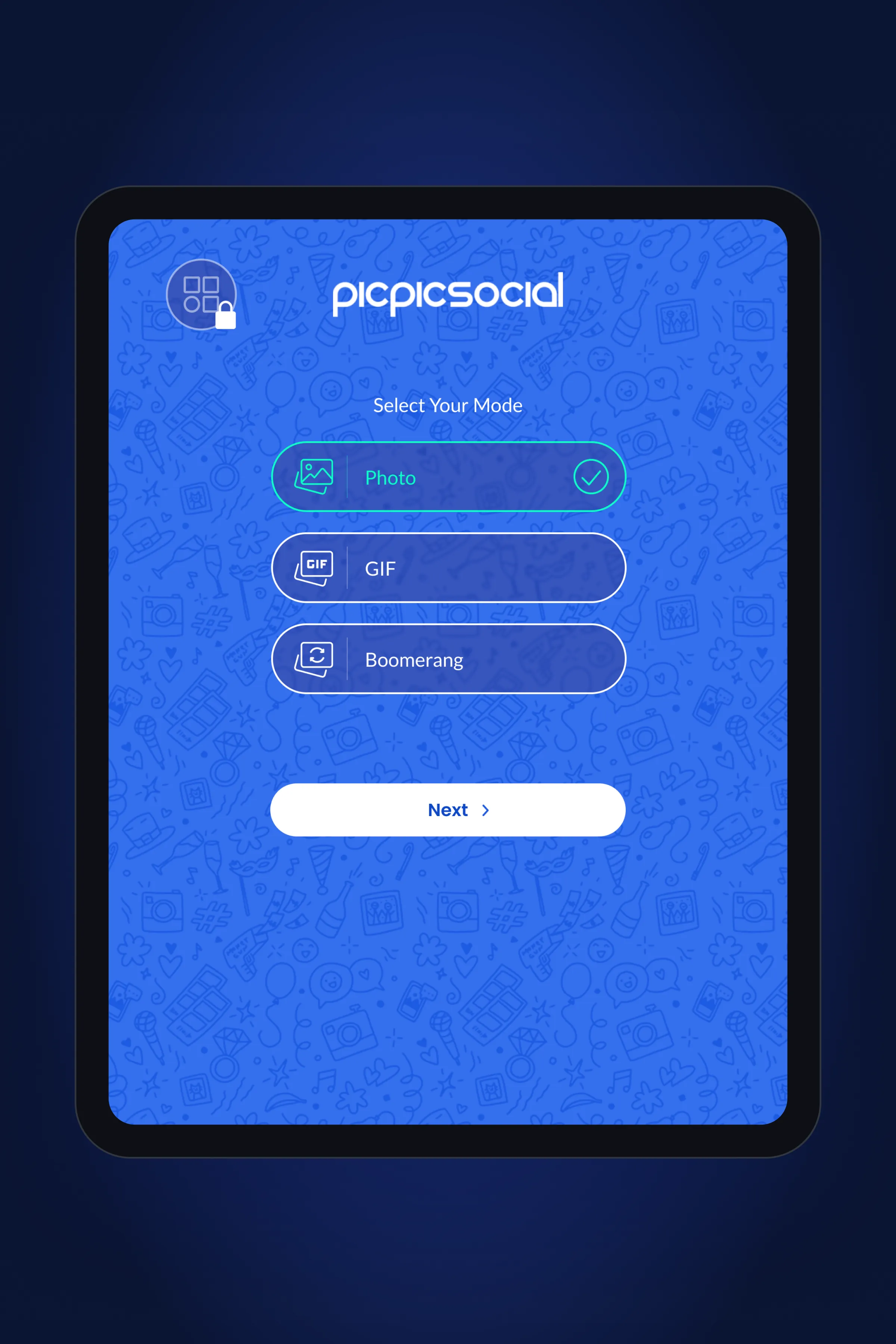
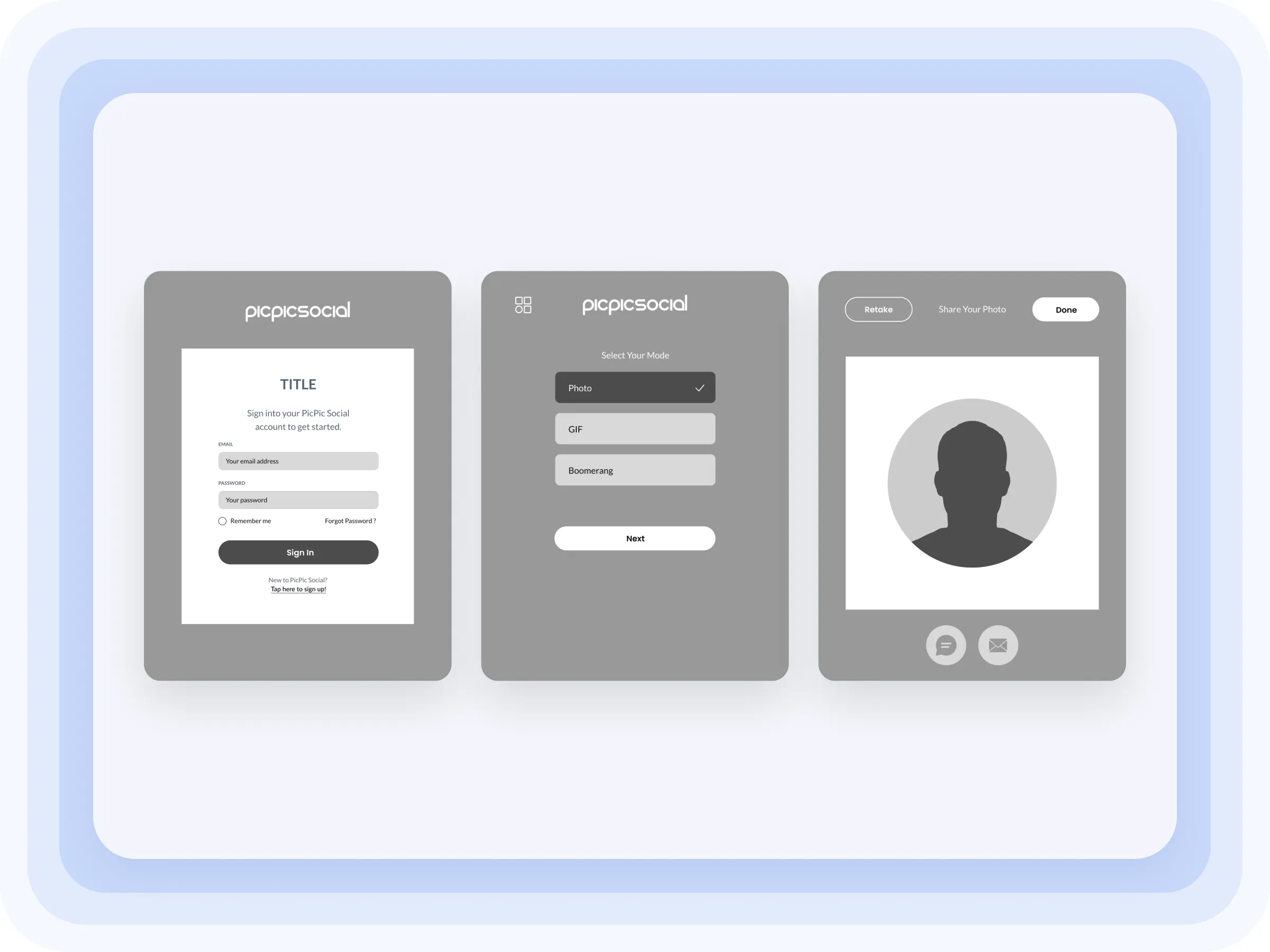
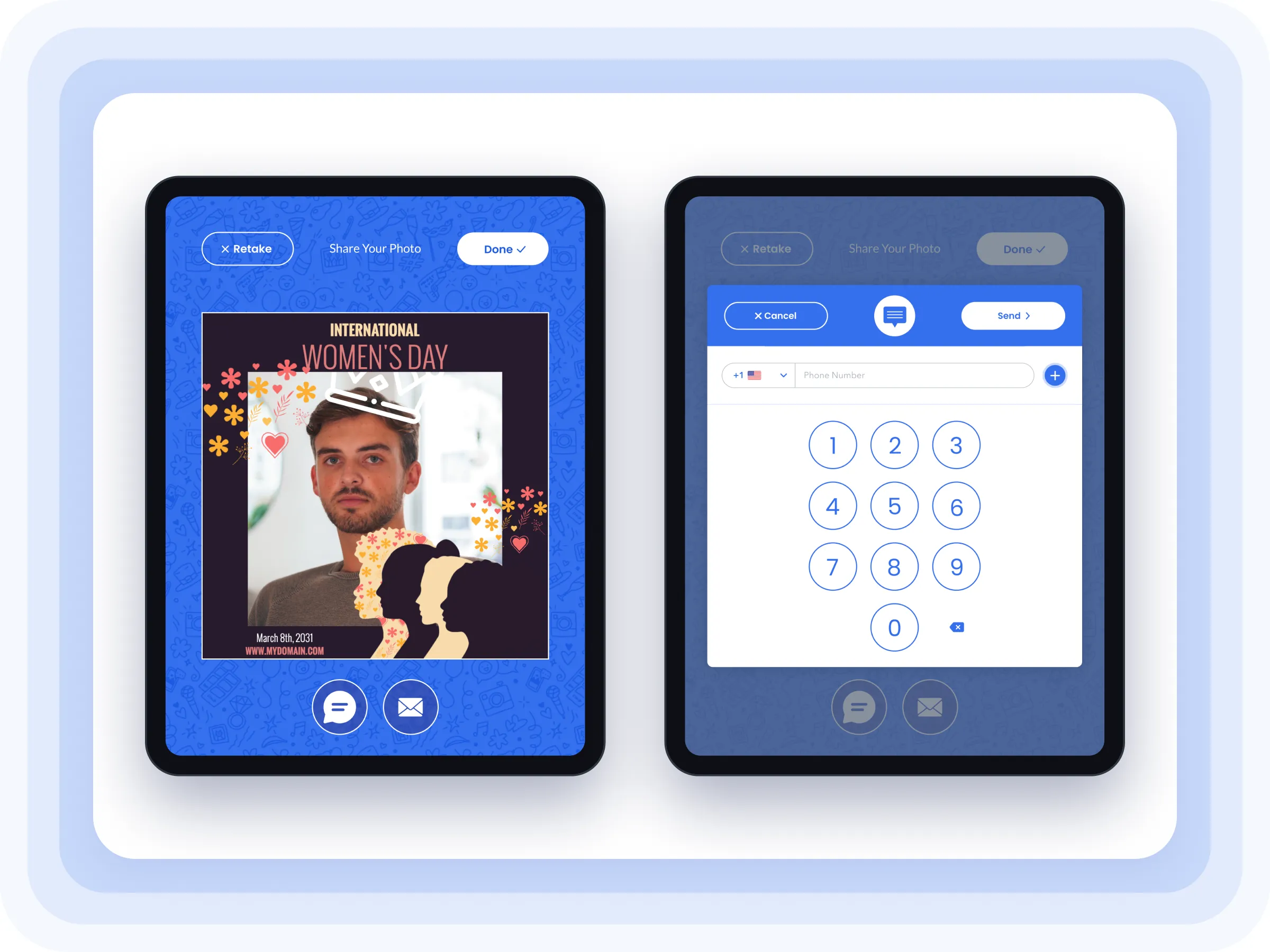
We ran ideation workshops with PicPic's team and ranked the features by user need and effort. Then we mapped the app as one flow in two parts. The operator signs in, picks an event and sets up the camera. Guests choose Photo, GIF or Boomerang, take the picture and get it by text or email.
Each feature sits in its own card, centered on the screen. The layout works on every iPad size, and new features can be added without a redesign.
Testing and refinement
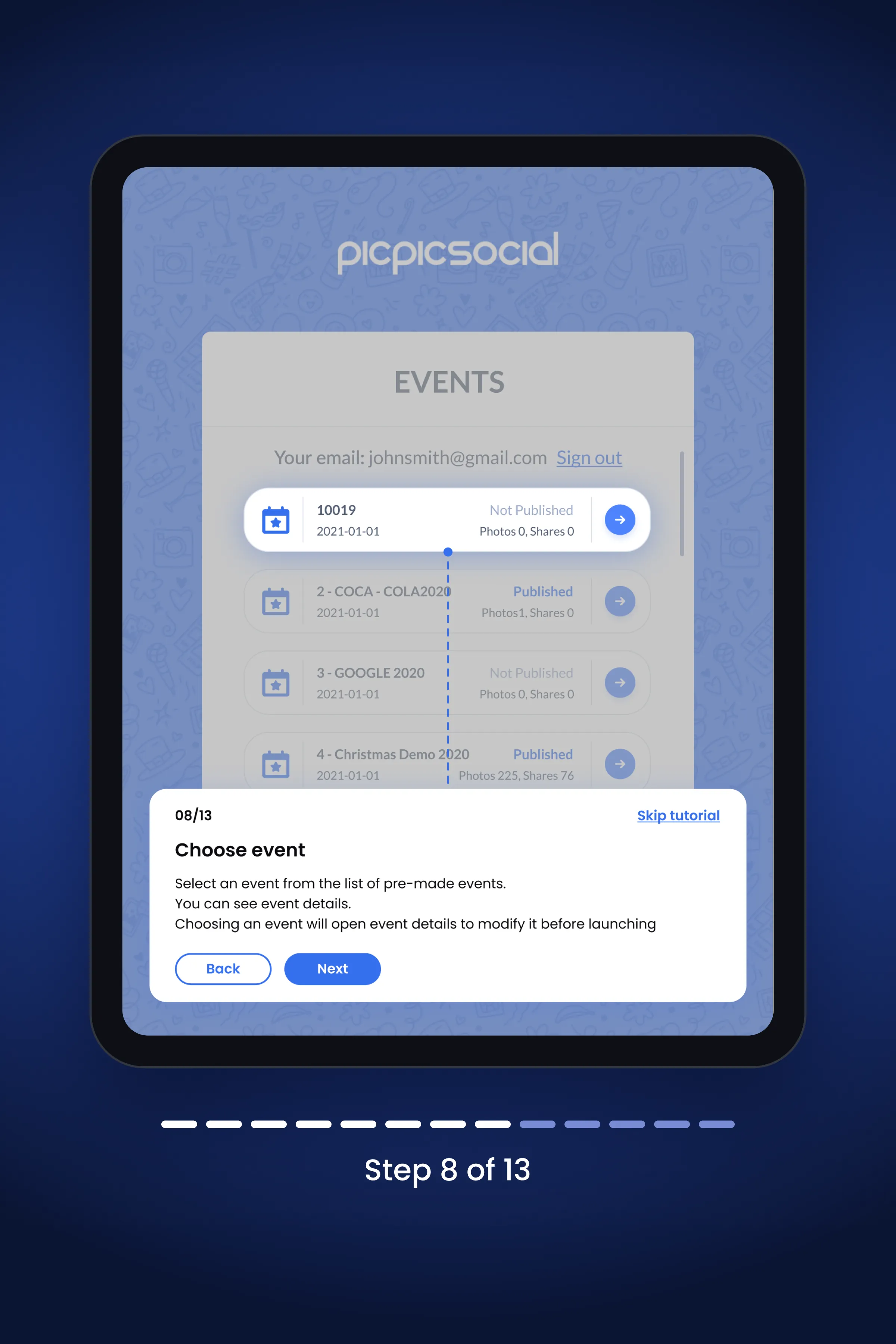
In testing, most people skipped the first onboarding, a single pop-up full of text. We replaced it with a guided tour of 13 short steps that points at each feature on the real screen. Testers understood the app faster.
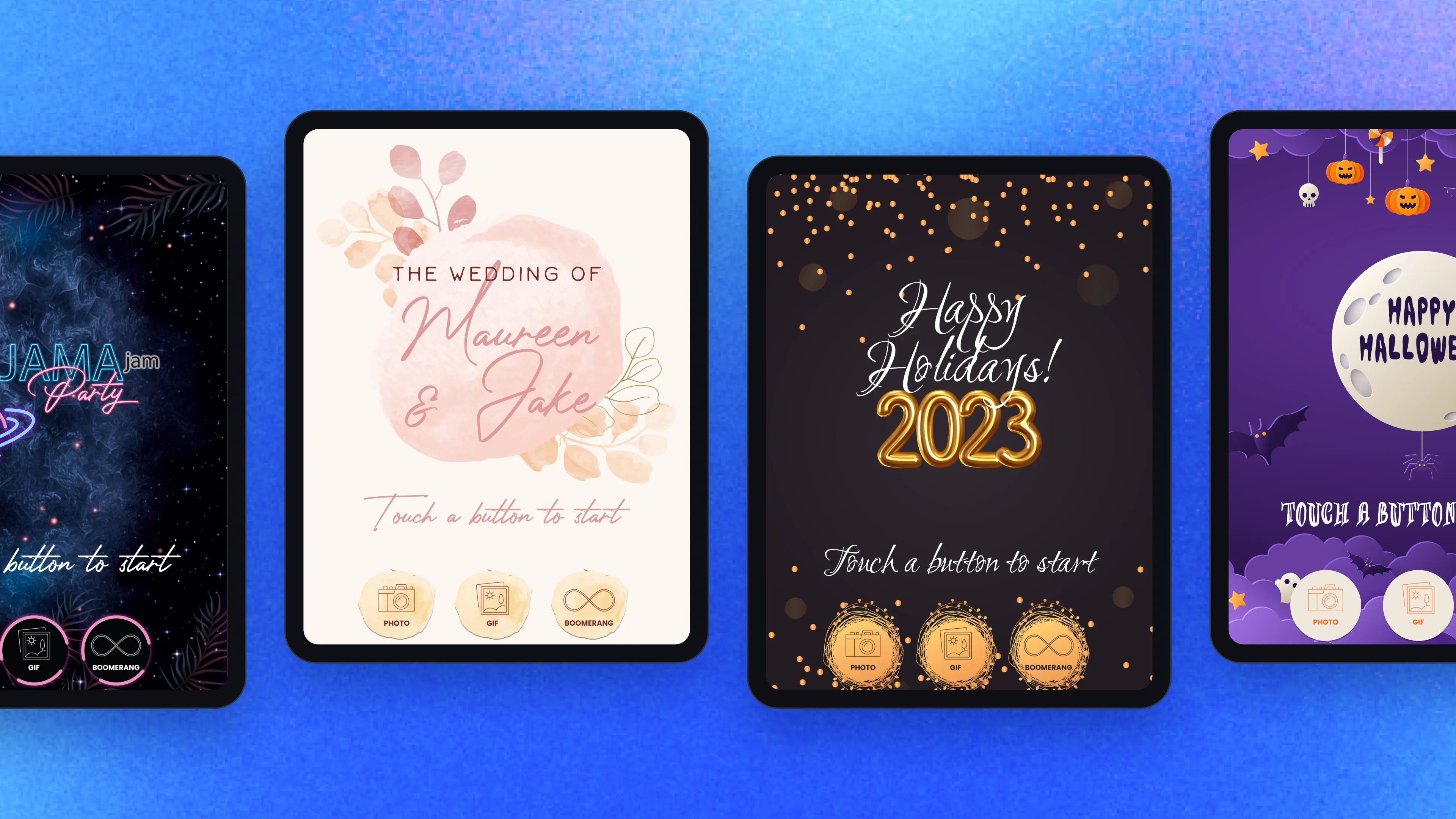
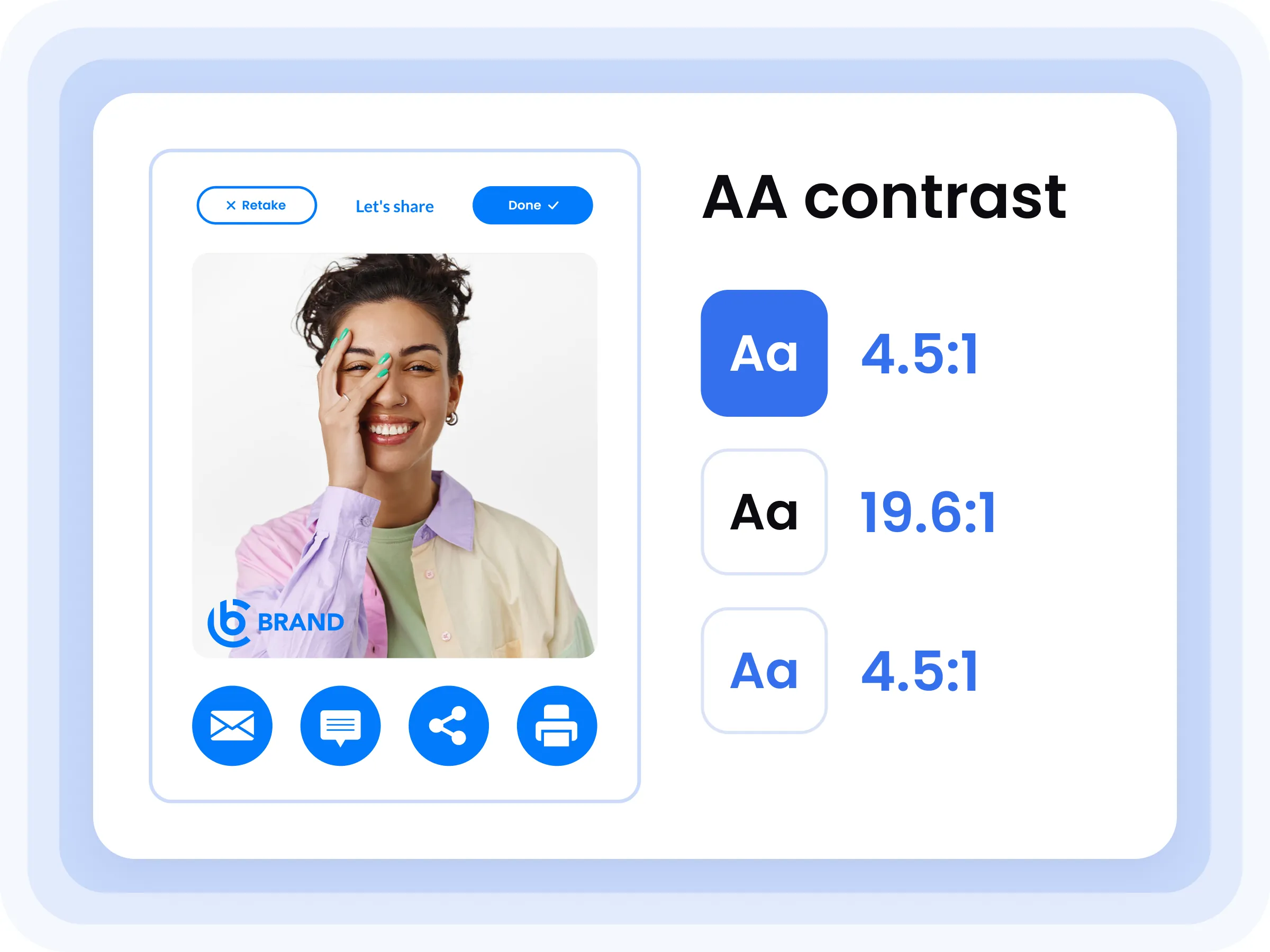
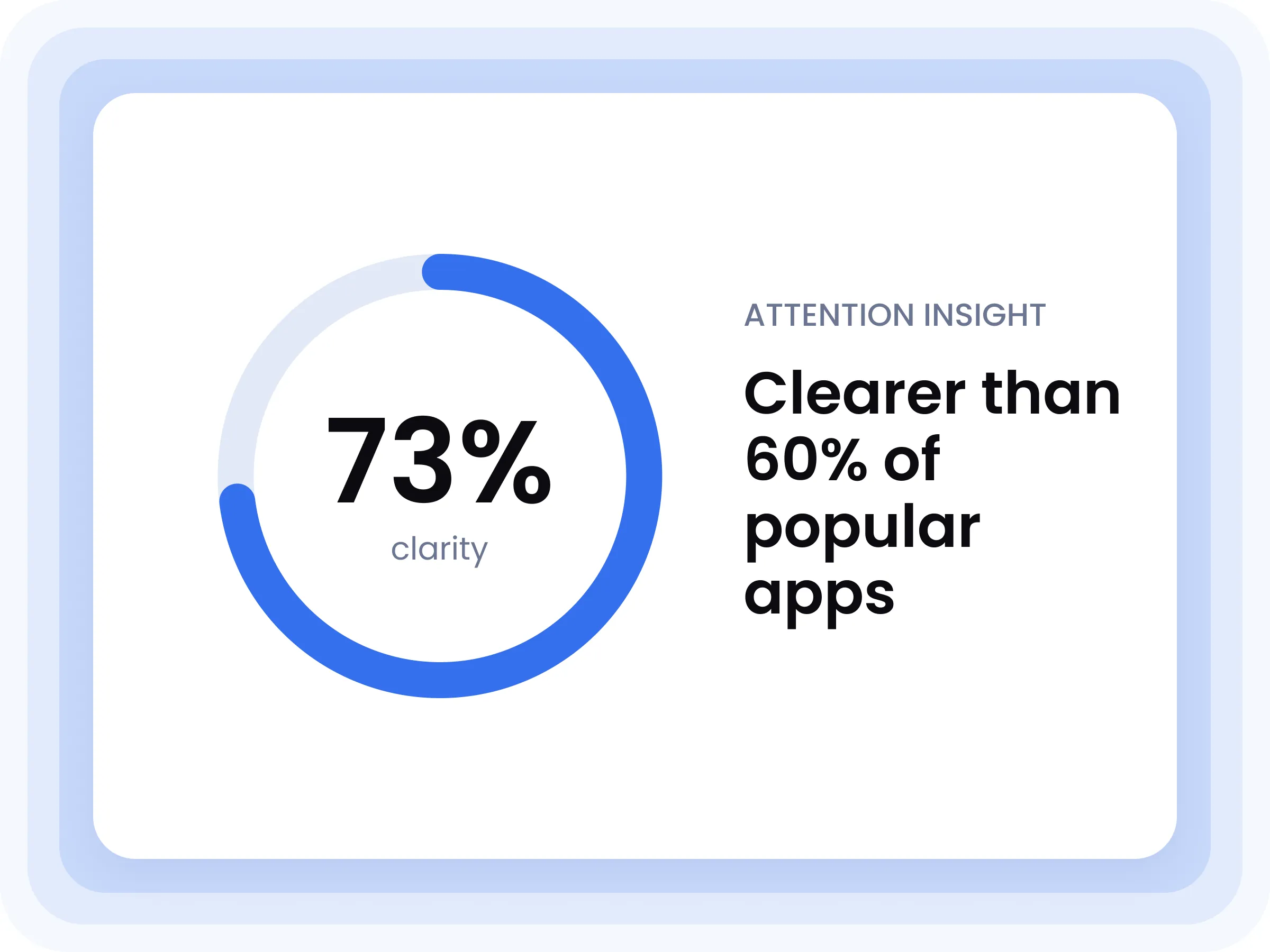
Themed start screens for weddings, parties, holidays and Halloween show businesses how far they can brand the booth. Every screen meets WCAG AA contrast, and an Attention Insight scan gave the main screens a 73% clarity score, higher than 60% of popular apps.
Got a website
to build?